|
After a couple of years I also decided it was time to update
my mouse interface. It's not that it didn't work well, on the
contrary, it worked great, but I was starting to itch for a spinner knob
and I knew it would be a lot of trouble to try to hack a second mouse.
Besides, the mouse hack, even though it worked perfectly, always felt a
little "dirty" to me. The wires were directly soldered to the Happ
trackball interface cards, and it just never pleased me that I had to
alter the trackball a bit to get it to work in this way. So I
finally decided to search out and see what was out there for interfaces,
and again
www.ultimarc.com came to the rescue.
Their OptiPac interface allows you to hook up a Trackball and
Spinner control simultaneously. The card will determine which to use
based on which one is currently being moved, i.e. they can't be used at
the same time, the card will switch back and forth depending on which one
you are using. It works well, though a couple of times while using
the spinner, control has gone back to the trackball for a moment making
the spinner useless until it switches it back, but otherwise it's been a
great card.
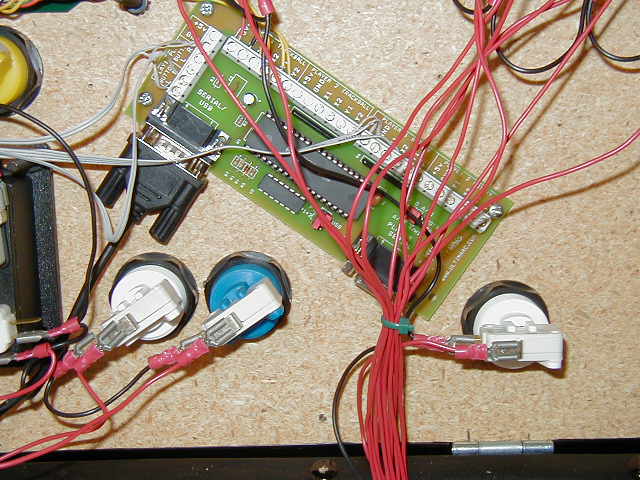
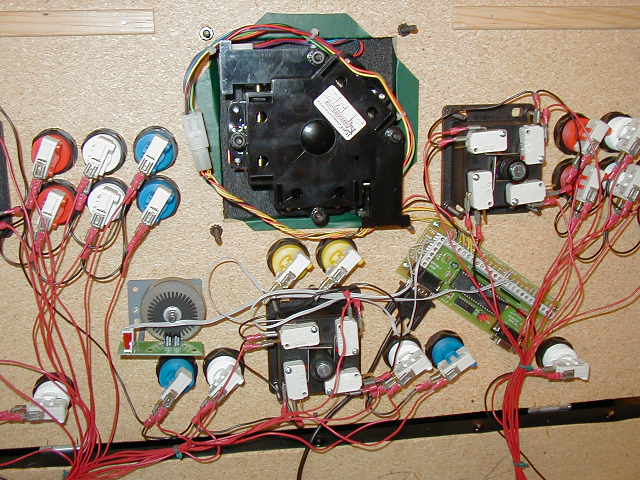
Hooking it up is just as easy as the iPac (see Interface Section) Everything is clearly labeled, and the screw-in connectors mean no soldering. Here is a view of everything hooked together.
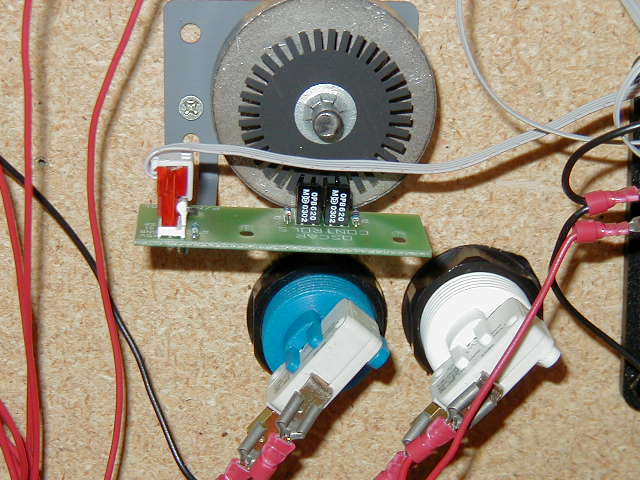
Luckily I had an extra molex connector to my Happ trackball so I didn't have to cut any wires on the original trackball harness (which I would NOT recommend) Don't ruin a good harness, try to find a female molex for the trackball somewhere, I'm sure they're pretty cheap. I used ribbon cable (IDE Harddrive Style) to hook the spinner and the mouse buttons to the OptiPac. It helps keep the wiring a little cleaner.
|